
|
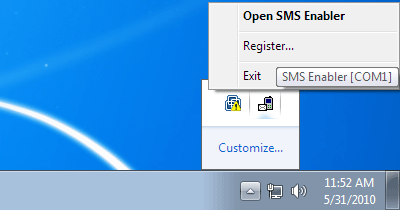
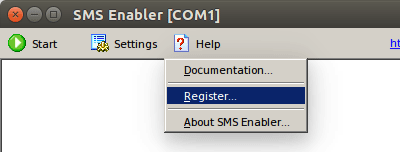
Home » Documentation » Using Your License File Using Your License File After receiving your license file, follow these steps: In Windows In Linux See these screenshots for the "Register" menu item:
In Windows 7 / 8 / 10
In Linux |
| Copyright © 2006-2023 Alexander Smirnov. All rights reserved. |